Sales, invoices and planning in one place.
For teams of 5 to 50 who now switch between HubSpot, Excel, an invoicing tool and WhatsApp. Savicor keeps your customers, quotes, invoices, projects and schedules in one system, with one login.
Free for up to 3 people. No payment details needed.
How it works
Up and running in an afternoon.
No installation and no consultant. Three steps, and your team works from one place.
Create your account
Sign up with your email, add an authenticator app and name your organisation. Starter is free for up to 3 people.
Bring your customers
Connect HubSpot and bring over companies, contacts, deals and activities, or upload a spreadsheet. You see a preview before anything is saved.
Invite your team
Invite colleagues by email and give each a role, from owner to read-only. Everyone sees what their role allows, in every app.
See every app
Six apps that share the same customers.
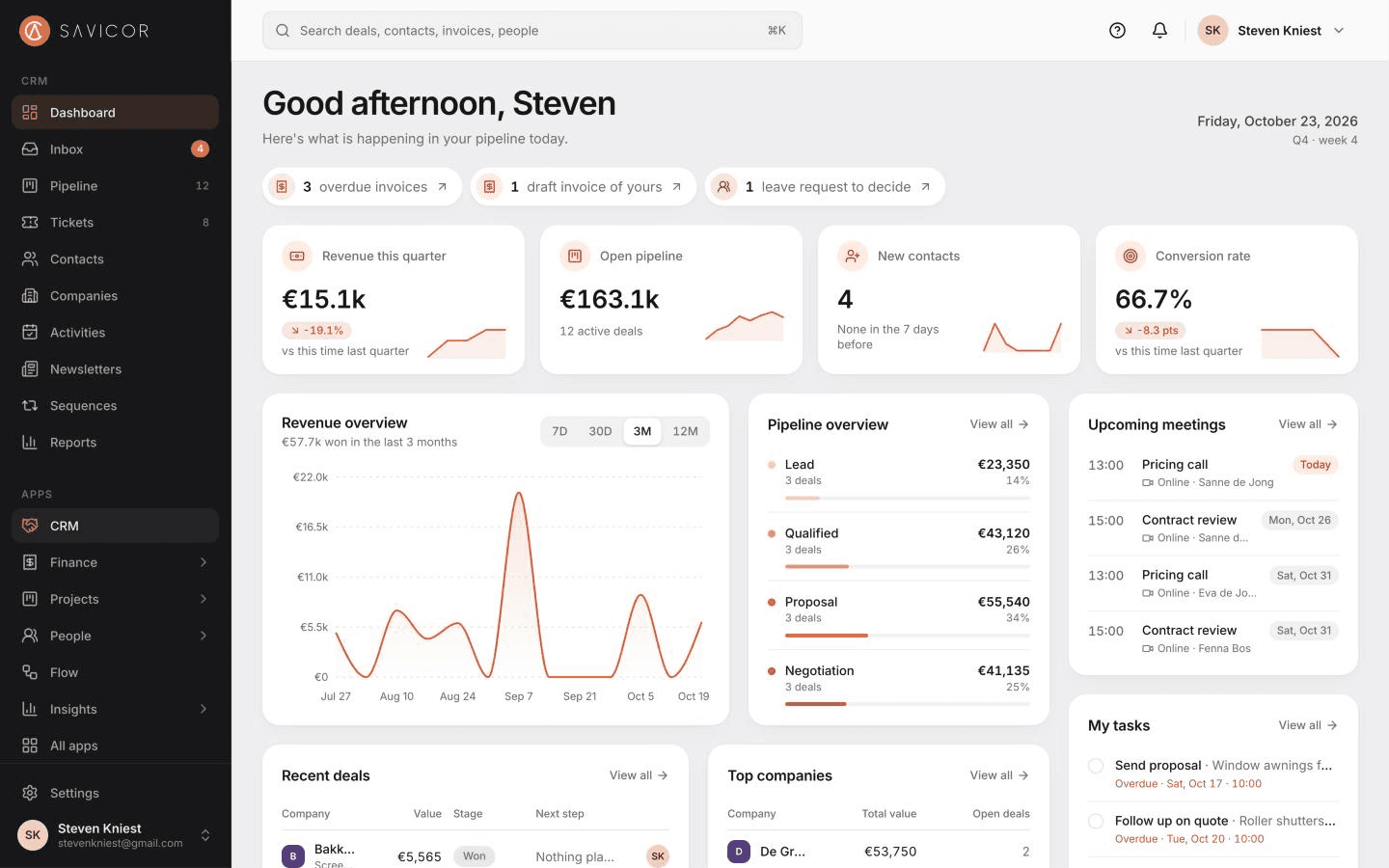
Switch on what you need. These are the real screens, from a demo organisation with example data.
Drag a deal to the next stage and the totals of both columns update straight away.
Know where every customer and deal stands.
- See every deal on one board and drag it to the next stage.
- Answer customer email as a team from a shared inbox, or from your own Gmail or Outlook.
- Reply in seconds with templates that fill in the name and company.
- Let people book a meeting with you, or leave their details on your website.
One place instead of five tools
Stop copying the same customer into every tool.
Separate tools each keep their own copy of your customers. Here a company exists once, with its deals, emails, invoices and projects on one page.
Customers, deals and follow-ups
Now: HubSpot
Savicor CRMPipeline and records
Customer email
Now: Everyone's own inbox
Savicor CRMShared inbox and your own mailbox
Quotes, invoices and VAT
Now: A separate invoicing tool
Savicor FinanceQuotes, invoices and VAT
Hours, planning and budgets
Now: Excel
Savicor ProjectsTasks, time and timeline
Schedules and leave
Now: WhatsApp and a shared calendar
Savicor PeoplePlanning and leave
Switch from HubSpot
Bring your HubSpot data over in an afternoon.
Make a private app key in HubSpot and paste it in. Savicor reads what is there and shows you a preview before anything is saved.
- Companies, contacts, deals, notes, calls, tasks and meetings
- Choose where each pipeline and stage goes
- Deals keep their owner, matched to your team
- Run it again later: it updates what changed
- Not on HubSpot? Import a spreadsheet, with a preview and duplicate checks
Security and privacy
Your customer data, kept safe and in the EU.
Security is built into how the data is stored, not left to a setting. We describe exactly what is in place and what is not.
Read the security overview- Two-factor sign-in for everyoneEvery account uses an authenticator app. It is required, not a setting.
- Stored in the EUThe database runs in Frankfurt and the app on servers in the EU.
- Kept apart in the databaseEach organisation's data is separated by the database itself, and tested on every change.
- Five rolesFrom owner to read-only. People see only what their role allows.
- A record of every changeCreates, changes and deletions are logged with who did it.
- Your data stays yoursExport everything in one file, or delete your organisation, at any time.
Try it with your own customers.
Create your organisation in a few minutes. Free for up to 3 people, no payment details needed.